Prom.ua Setup
To set up import, you need a paid Prom package. You may also need to complete sole proprietor verification.
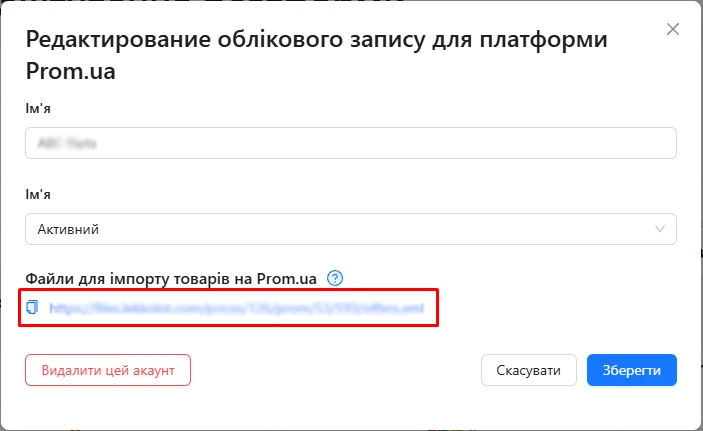
To add an import to your store from Lekkolot, open Integrations, click your platform account, and copy the link from the window that opens:
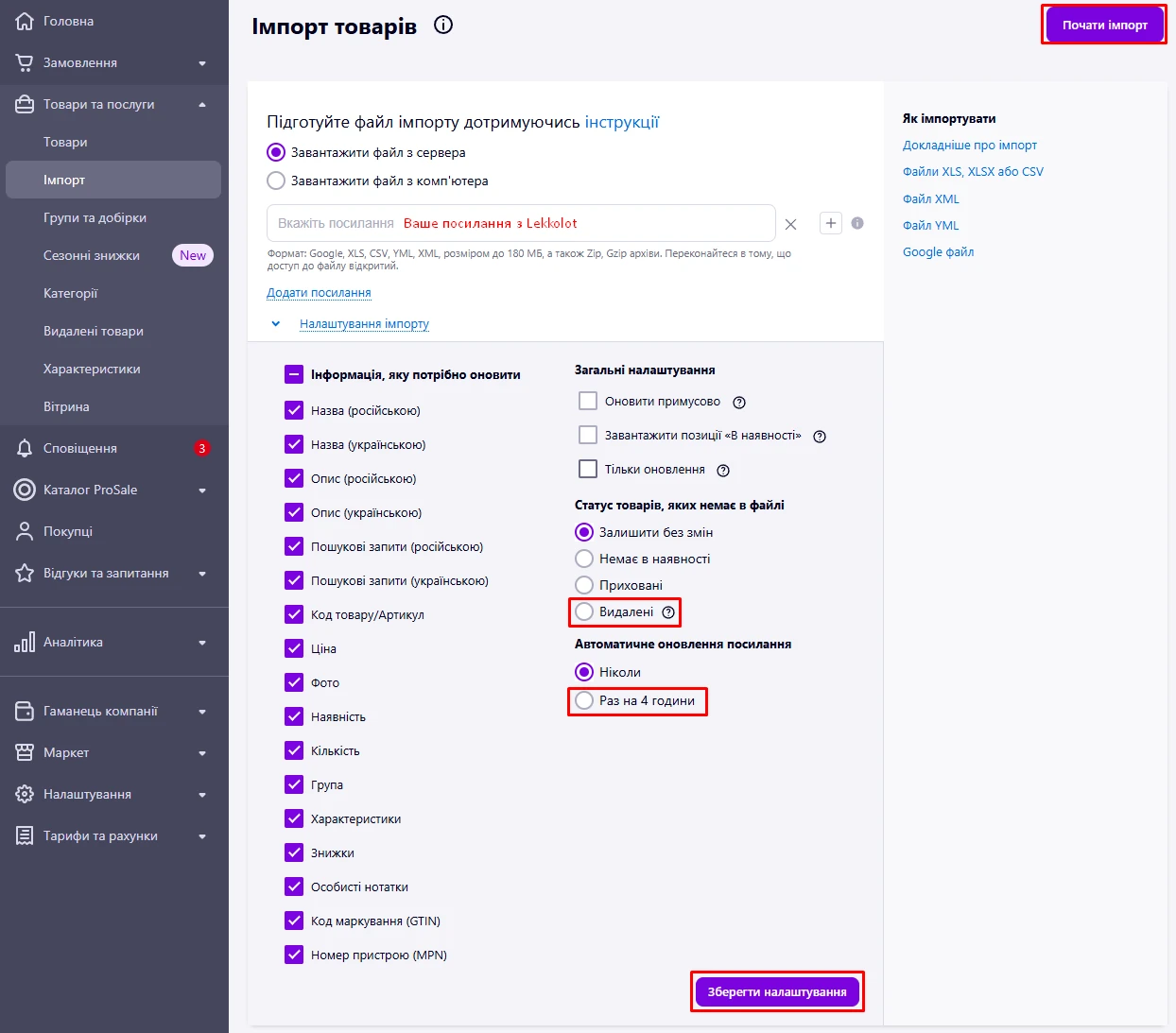
On Prom, go to Products and services / Import and add your link to the corresponding field.
Set Status of products missing from the file according to your sales workflow. For used parts, it is better to choose Deleted so they do not use up your limit.
Set Automatic link update to once every 4 hours.
Save the settings and start the import.
We generate the price list:
Weekdays (Mon-Fri): 00:00, 04:00, 08:00, 10:00, 12:00, 14:00, 16:00, 18:00, 20:00
- business hours 8:00-18:00 every 2 hours
- non-business hours every 4 hours
Weekends (Sat-Sun): 00:00, 04:00, 08:00, 12:00, 16:00, 20:00
- every 4 hours