Avtopro Setup
To set up import, you need a paid AutoPro package, your store must be active, and you also need to create a warehouse.
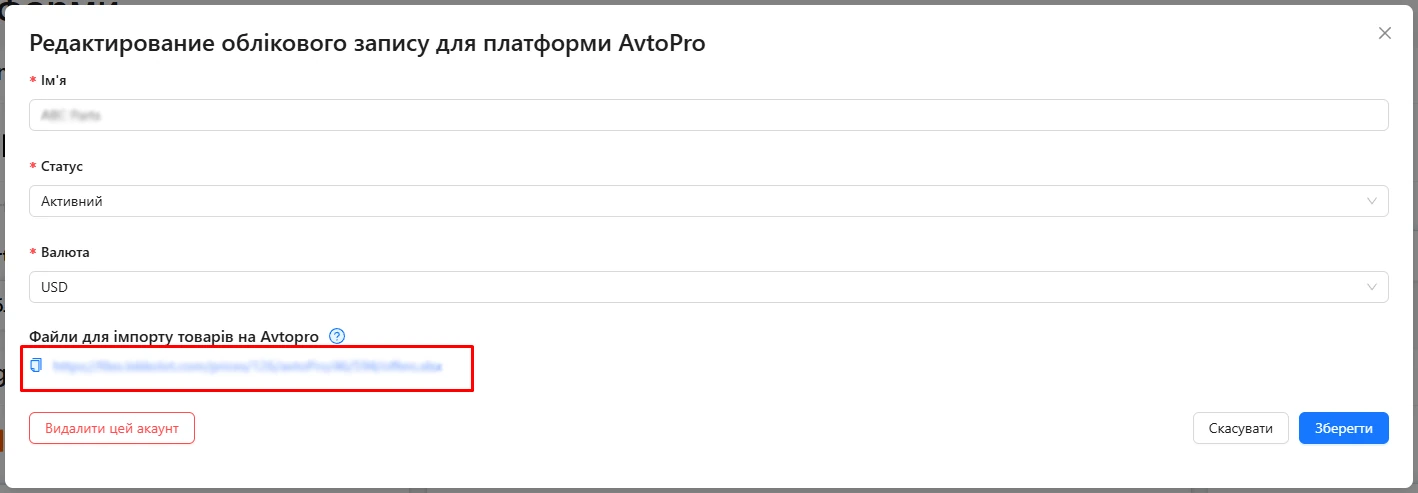
To add an import to your store from Lekkolot, open Integrations, click your platform account, and copy the link from the window that opens. Also download the file by opening the link in your browser:
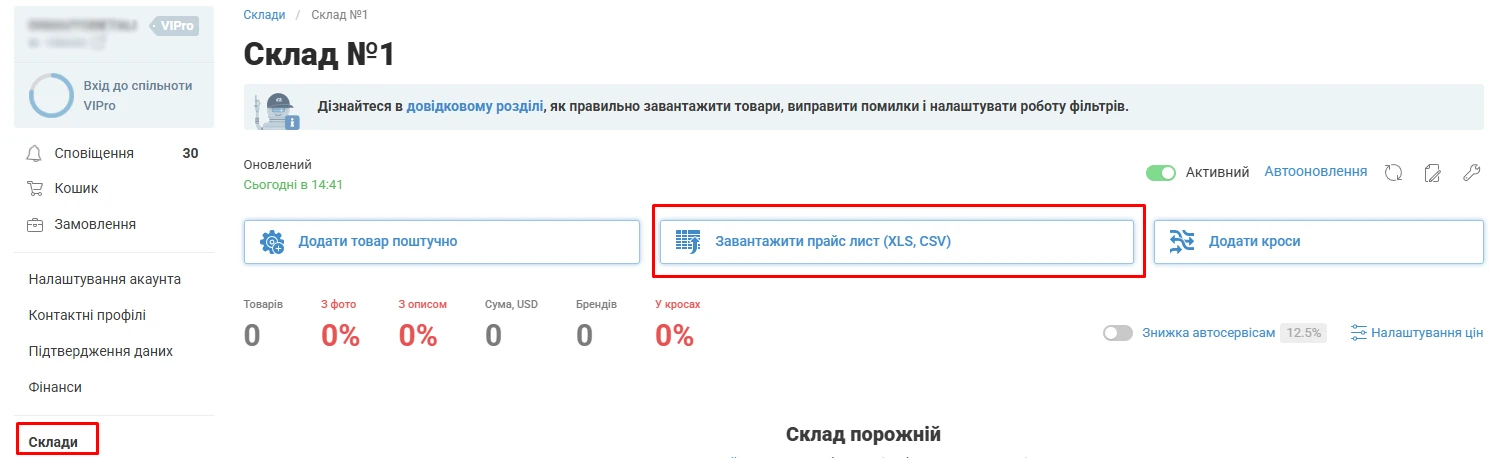
Upload the price list in the warehouse you created:
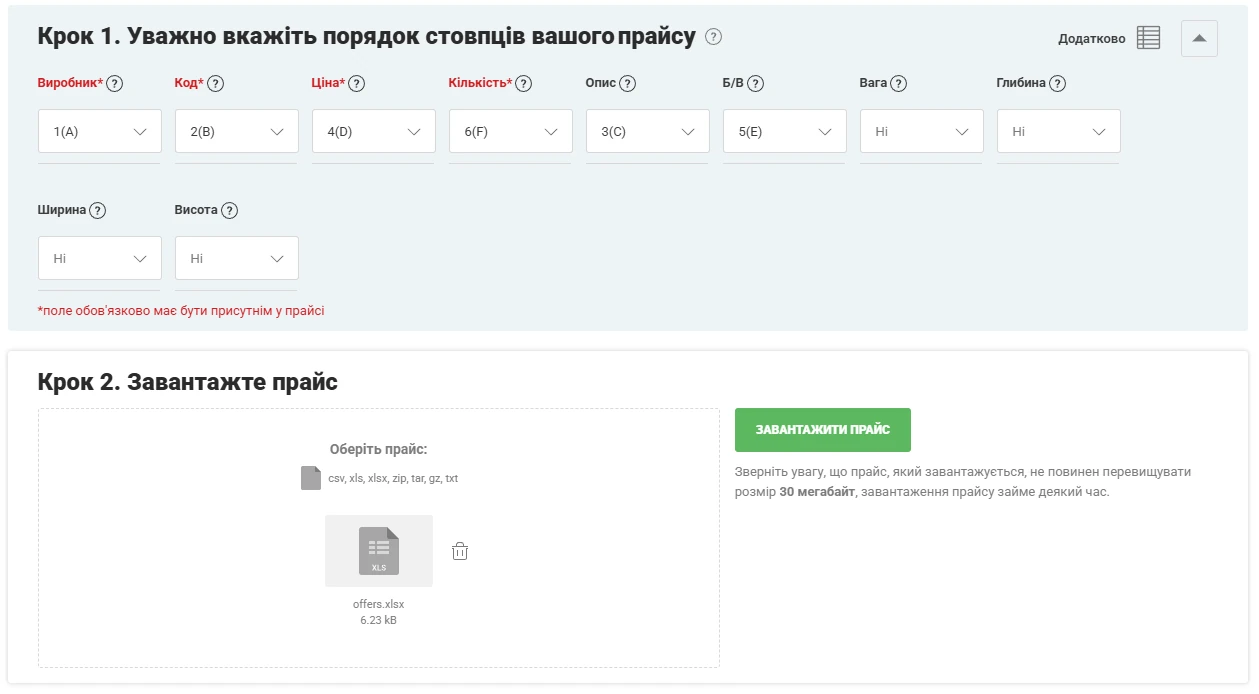
In the settings that open, specify the columns as shown in the screenshot and upload the Lekkolot price list you downloaded earlier:
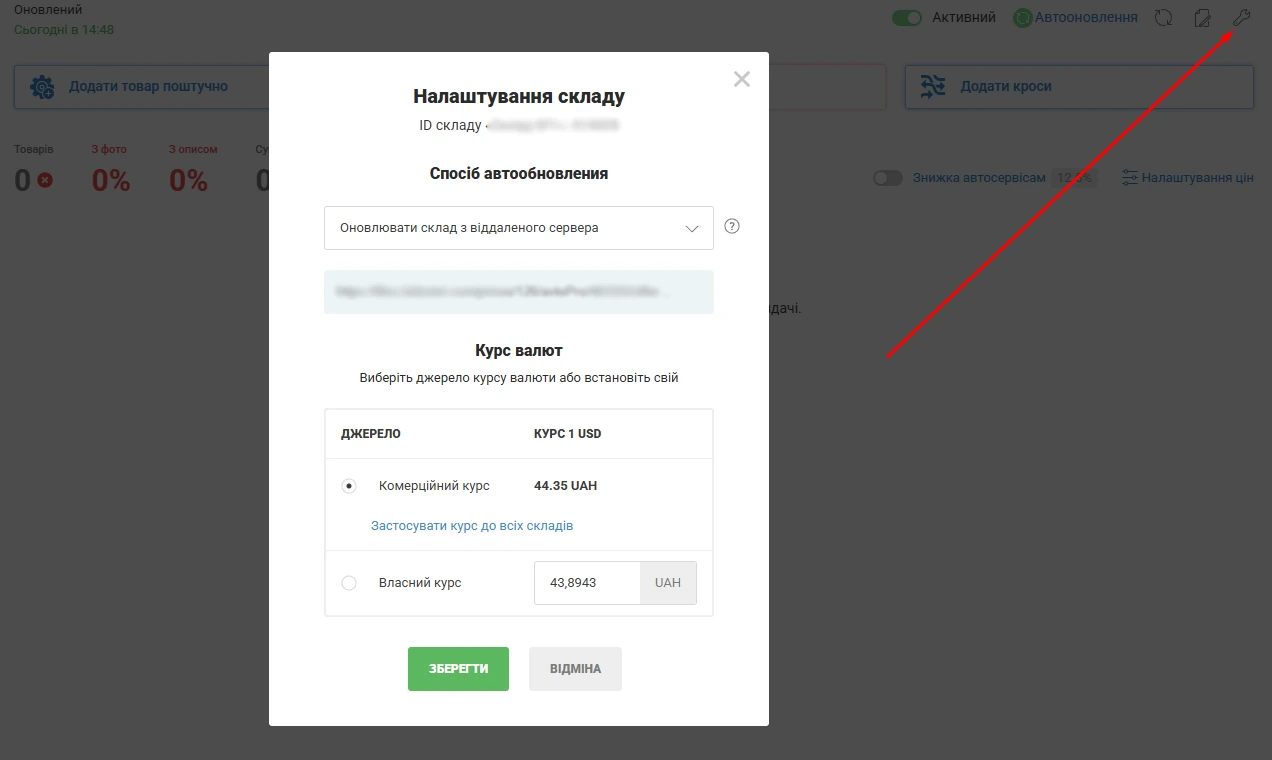
After the first price list upload, open the warehouse settings, select update from a remote server, and enter the Lekkolot import link.
We generate the price list:
Weekdays (Mon-Fri): 00:00, 04:00, 08:00, 10:00, 12:00, 14:00, 16:00, 18:00, 20:00
- business hours 8:00-18:00 every 2 hours
- non-business hours every 4 hours
Weekends (Sat-Sun): 00:00, 04:00, 08:00, 12:00, 16:00, 20:00
- every 4 hours